Changelog — 22 October 2026
Everything that changed in Plenix this week: a full ITSM service desk with problems, changes and CAB approval, a service catalogue and automatic routing, ticket macros, customer satisfaction surveys, uptime monitors and public status pages, a conversation inbox for email, website chat and SMS, Surveys, Events and Fleet, and a complete HCM people suite with performance, recruitment, offboarding, compensation, benefits and pay equity. Remote control now works with the lid closed and shows who you are connected to.
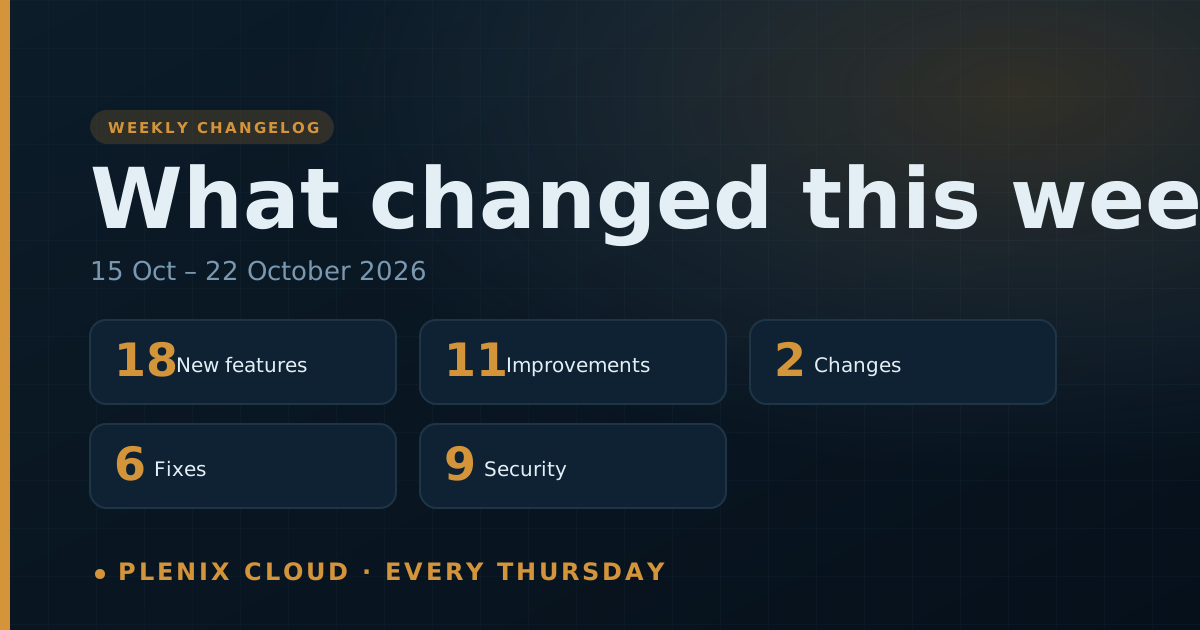
The Plenix changelog lists every change that reached customers in the past week: new features, improvements, fixes and security work. It is published every Thursday. For the longer story behind the bigger features, read the release notes linked at the end.
This changelog covers Thursday 15 October to Thursday 22 October 2026.
New features
- Service desk (Ticketing). Problem management with known errors and suggested problems, change management with risk scores, CAB approval, a change calendar and freeze windows, standard change templates, a service catalogue your staff and clients can order from (including in the client portal), and automatic ticket routing by rota, workload or skill.
- Ticket macros (Ticketing → Macros). Save the steps you repeat as one click: a reply or note with the ticket's details filled in, status, priority, queue and other fields, assignment, following, time and a due date. Preview what a macro will change, run it on up to 100 tickets at once, and see which macros your team uses.
- Customer satisfaction surveys (Ticketing → Satisfaction). A short email asks the requester to rate a resolved ticket after the delay you choose, and portal ratings count too. Low scores open a follow-up and alert the right people. The hub shows CSAT by engineer, queue and client.
- Uptime monitors (Monitoring → Uptime). Check websites, APIs, keywords and servers as often as every minute, get alerted and open a ticket when one goes down, and see response times, uptime and certificate expiry.
- Public status pages (Ticketing → Status pages). A branded status page that updates itself from your monitors, with incidents, planned maintenance and email updates for subscribers.
- Conversation inbox (Inbox). Email, the chat widget on your website and SMS in one shared queue. Assign and route conversations, reply on the original channel, add internal notes with @mentions, use saved replies, snooze, tag and turn conversations into tickets.
- Surveys. Surveys and scored quizzes with 15 question types and branching logic. Share them by link, on your website or by personal invitation, read the results as charts and NPS, and turn unhappy answers into follow-ups.
- Events (CRM → Events). Run webinars, conferences and workshops with branded registration pages, free or paid tickets, a waitlist, automatic confirmations and reminders, QR check-in and name badges. Every registration appears on the CRM contact and company.
- Fleet (Field Service → Fleet). Vehicles and drivers with MOT, tax, insurance and service reminders, a phone-friendly walkaround check that takes unsafe vehicles off the road, fuel and real economy, workshop jobs, contracts and the full running cost of each vehicle.
- Performance (HCM → Performance). Review cycles with self, manager and peer reviews, calibration before release, 1:1s with shared agendas and action items that carry over, feedback and praise tagged with your company values, and a live org chart.
- Recruitment (HCM → Recruitment). A full applicant tracking system with your own careers site, screening questions, a pipeline you design, interviews, scorecards and offers accepted online. Accepting an offer creates the employee and starts their onboarding.
- Offboarding (HCM → Offboarding). Start offboarding and Plenix finds everything the leaver still holds, from laptops and direct reports to shifts, tickets and open claims, and builds the checklist. It works out holiday to the leaving date, switches access off on the day and offers a private exit interview. HR also gets turnover analytics.
- Compensation (HCM → Compensation). Pay bands per role with who sits below or above range, a full pay history with reasons, future-dated pay changes applied on the day, and merit cycles where managers plan rises within a budget and HR approves.
- Benefits (HCM → Benefits). Plans with levels of cover and eligibility rules, enrolment windows, new-starter and life-event choices, a monthly deductions list for payroll and a total rewards statement for everyone.
- Pay equity (HCM → Pay equity). Pay gaps by gender and other groups worked out from hourly pay, like-for-like comparisons within a job title or pay band, people paid well below their peers, and dated gender pay gap reports.
- Remote control: Match My Screen. Show a large remote monitor at 1:1 on a smaller screen.
- Remote control with the lid closed. You can now remote into a laptop whose lid is shut. Plenix uses a virtual screen and puts everything back when the lid opens.
- See where you are connected. Remote sessions show the computer's name and the signed-in user in the toolbar and the browser tab.
Improvements
- Ticket side panel. Tickets show their linked problems, changes and service request, recent changes for the same client or device, and why routing assigned them.
- See who else is on a ticket. A banner shows when a colleague has the same ticket open or is writing a reply.
- Away status. Agents can mark themselves away so routing passes them by, and managers can do this for their team.
- Macros follow the same rules as working by hand. SLA timers, notifications, the audit trail and automations all apply, and a reply goes out before the "resolved" email.
- Satisfaction surveys don't pester people. Set how long before the same person can be asked again, and leave out queues, ticket sources or clients you never want to survey.
- Inbox settings. Set up the website chat widget, a first-response target, auto-close for quiet conversations, and whether email creates tickets straight away or goes to the inbox first.
- Conversations everywhere. Contacts, the company Customer 360 tab and tickets list their linked conversations.
- More automation triggers. Workflow rules can react to inbox conversations, problems, changes and service requests.
- Status page control. Branding per status page, components you can set by hand, and every tile opens the list behind it.
- Fewer remote chat notifications. The person at the remote computer gets one Windows notification per chat session, not one per message.
- Remote Desktop minimised. Remote control keeps the picture when a Remote Desktop window to the same computer is minimised.
Changes
- Device totals count only the machines you manage. Devices found by a network scan show on the Network Devices tab, the network map and IPAM, but not in dashboard totals, the client portal, the API, search or the security add-on's device count.
- The old benefits list has moved to HCM → Benefits → Records.
Fixes
- Newly installed agents always appear in RMM, even when a network scan had already found that machine.
- VNC connects first time on machines that were slow to prepare, no longer shows a black screen, works again after an agent is reinstalled, and Ctrl+Alt+Del works over VNC.
- The signed-in user shows correctly for domain and Microsoft Entra accounts in remote sessions.
- Remote control returns to full-speed capture after a minimised Remote Desktop window is restored.
- A walkaround check must answer every item; an unanswered item never counts as a pass.
- An event's thank-you email is sent when only a message is set.
Security
- Survey, event, careers and status-page sign-up forms are rate-limited and protected against automated submissions.
- Anonymous surveys never store who answered. Attendee, conversation and status-page subscriber details are stored encrypted.
- Fleet licence numbers are encrypted and masked for everyone except fleet managers and admins.
- Older performance reviews are only visible to HR, the person reviewed, their reviewer and their manager.
- Pay stays private: only HR sees everyone's pay, managers see their own team only if you allow it, and employees see only their own.
- Equality details are encrypted and only the person can read their own answers. Groups smaller than your minimum size are never shown.
- Switching off a leaver's access ends every session they have open.
- Uptime monitors cannot be pointed at private or internal network addresses.
- Satisfaction survey links record nothing when opened, so email link scanners cannot rate for anyone.
Read more
- Plenix 2026.10.65: customer satisfaction surveys
- Plenix 2026.10.64: ticket macros
- Plenix 2026.10.63: uptime monitors and status pages
- Plenix 2026.10.62: pay equity
- Plenix 2026.10.61: benefits
- Plenix 2026.10.60: compensation
- Plenix 2026.10.59: offboarding
- Plenix 2026.10.58: recruitment
- Plenix 2026.10.57: performance
- Plenix 2026.10.56: service desk
- Plenix 2026.10.55: conversation inbox
- Plenix 2026.10.54: Events
- Plenix 2026.10.53: remote control with the lid closed
- Plenix 2026.10.52: see where you are connected
- Plenix 2026.10.51: network devices kept apart
- Plenix 2026.10.50: agents always appear in RMM
- Plenix 2026.10.49: Fleet
- Plenix 2026.10.48: Surveys
- Plenix 2026.10.47: Remote Desktop minimised
- Plenix 2026.10.46: Match My Screen