Plenix 2026.10.48 — Surveys: surveys and scored quizzes with logic, invitations, results and follow-ups
Surveys lets you ask customers, staff and suppliers what they think and act on the answers. Build a survey or a scored quiz with 15 question types and branching logic, share it by link, on your website or by personal email invitation, read the results as charts and NPS, and turn every unhappy answer into a follow-up someone owns.
T
The Plenix Team·16 October 2026·4 min read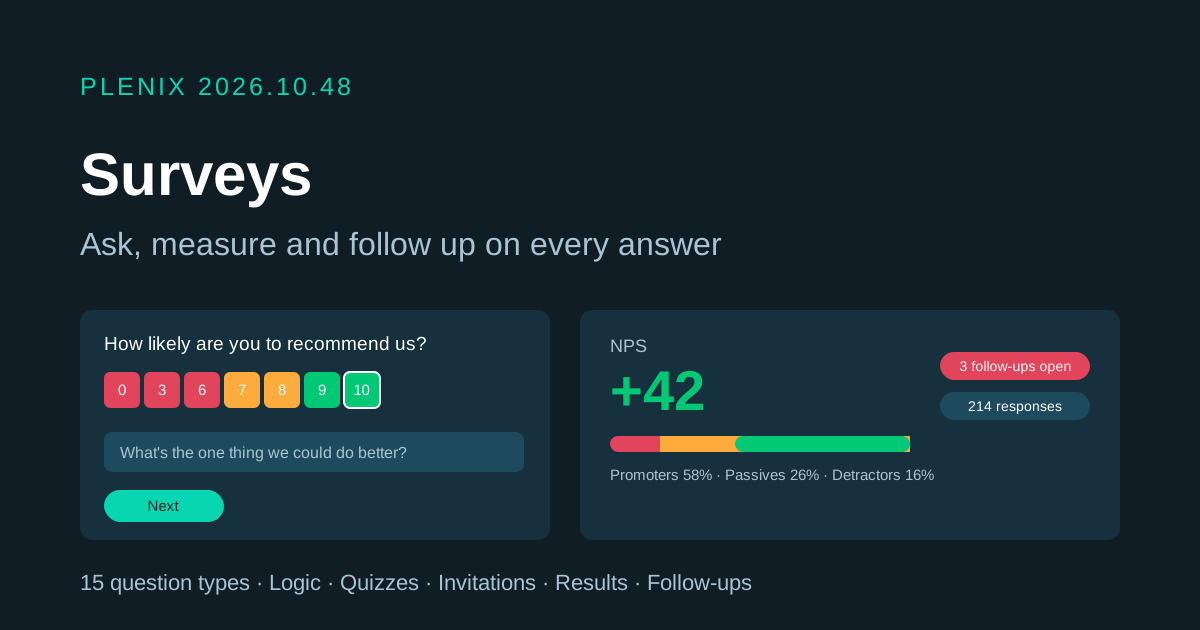
Release 2026.10.48 brings Surveys to Plenix (Surveys, just below Lead Forms in the sidebar). Surveys comes with Lead Forms on every plan that includes it. Plans and prices have not changed.
New features
- Surveys and scored quizzes. Build a survey to gather opinions, or a quiz that marks each answer and gives a score. Quizzes can show the score and the correct answers at the end, and can give a different result message for each score band (for example "Well done!" or "Not quite yet").
- 15 question types. Short and long text, email, number, date, single choice, multiple choice, dropdown, yes/no, star rating, NPS (0–10), scale, matrix grid, ranking, plus statement blocks for headings and instructions. Questions can be required, and choice options can be shuffled.
- Pages and logic. Split a survey into pages. Show a question only when an earlier answer matches, and skip to another page (or straight to the end) based on an answer, so each person only sees what applies to them.
- 15 ready-made templates. Start from customer satisfaction (CSAT), Net Promoter Score, support ticket feedback, customer onboarding check-in, employee engagement, eNPS pulse, exit interview, meeting feedback, training evaluation, knowledge check quiz, event feedback, product feedback, website feedback, market research or supplier evaluation, or start from a blank survey.
- Three ways to share. Copy a public link, embed the survey on your own website, or send personal email invitations to CRM contacts or any email address (up to 500 at a time). Each invitation is tracked as sent, opened or answered.
- Automatic reminders. Choose how many days to wait, and people who have not answered get a reminder, up to three times. You can also remind everyone outstanding with one click.
- Results you can act on. See responses over time, where answers came from, and a summary card for every question: charts for choices and ratings, NPS with promoters, passives and detractors, matrix and ranking summaries, and recent text answers. Click any figure or bar to see the responses behind it.
- Follow-ups on unhappy answers. When an answer is negative, Plenix can open a follow-up and assign it to the survey owner. Reassign it to a colleague, add a note and mark it done, so no unhappy customer is left without a reply.
- Answers on the customer record. Answers from invited contacts appear on the contact page and on the company's Customer 360 tab, with the latest NPS and any open follow-ups.
- Record answers yourself. Staff can enter a response taken over the phone or in person and link it to a contact and company.
Improvements
- Filters everywhere. Filter results and responses by date range, source, sentiment, follow-up status and a specific answer. Search responses by name or email.
- Export to CSV. Download every response with its answers.
- Survey settings. Make a survey anonymous, collect names and emails (optional or required), allow or block repeat answers, show a progress bar, close it on a date or after a number of responses, and set your own thank-you message or redirect page. Choose to be notified about every answer, only unhappy ones, or none.
- Sharing with colleagues. Add colleagues to a survey as editors or viewers, transfer ownership, duplicate, archive and restore surveys.
- Automations. "Survey Response Received" is a new automation trigger, so you can create tickets, tasks or messages from answers.
Security
- Anonymous surveys never store or show who answered, and search by name or email is turned off for them.
- Public survey links and submissions are rate-limited, and each invitation link only works for its own survey.
- Surveys are private to their owner and members unless shared with the workspace. Answers shown on a contact or company only appear for people who can use Surveys.
- Survey pages can be embedded on other websites; every other Plenix page still refuses to be framed.