Plenix 2026.10.65 — Customer satisfaction surveys
Ask the people who raise tickets how you did. A short branded email goes out after a delay you choose, ratings from the client portal count too, every low score opens a follow-up and alerts the right people, and a new Satisfaction hub shows CSAT by engineer, queue and client.
T
The Plenix Team·22 October 2026·3 min read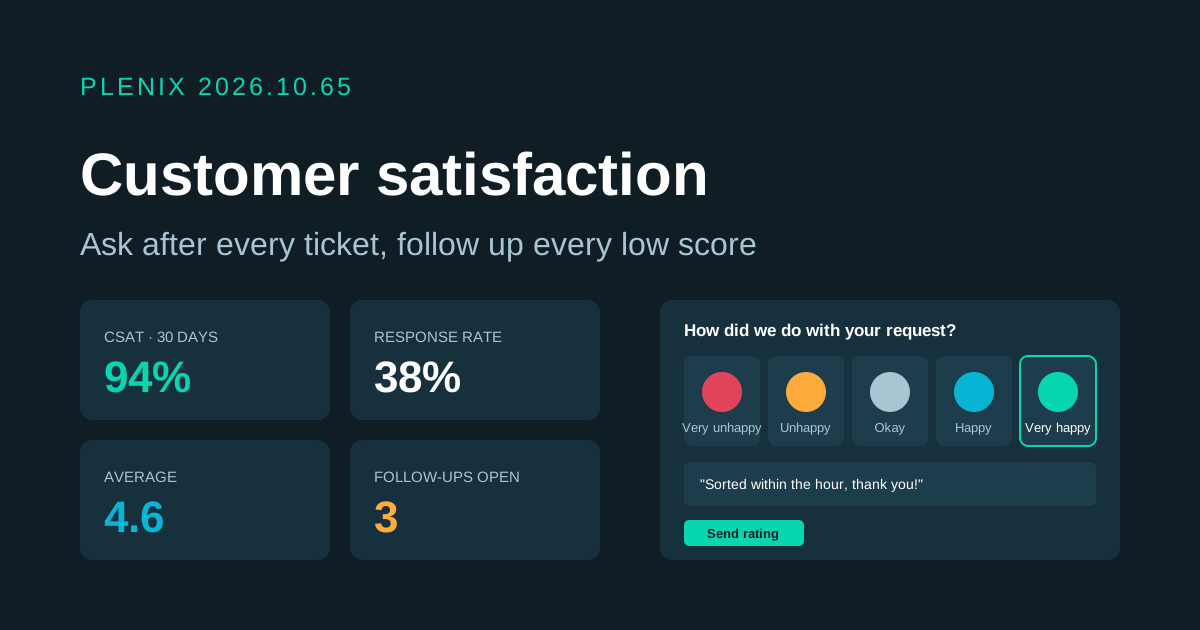
Release 2026.10.65 adds Satisfaction to Ticketing (Ticketing → Satisfaction, and a Satisfaction panel on every ticket). Surveys come with the Ticketing module. Plans and prices have not changed.
New features
- Satisfaction surveys by email. When a ticket is resolved, the requester gets one short email after the delay you choose, with your question and five faces from Very unhappy to Very happy. Clicking a face opens a page with that face picked, an optional comment box and a Send button.
- Portal ratings count too. A rating given in the client portal after a ticket is closed is counted the same way as an email answer.
- Every answer on the ticket. Each rating and comment is added to the ticket as an internal note and shown in the ticket's Satisfaction panel.
- Low scores are followed up. A score at or below the level you set opens a follow-up and alerts the engineer who handled the ticket and anyone else you choose. You can also have low scores reopen the ticket. Write what you did, mark the follow-up done, and the note is added to the ticket.
- Satisfaction hub. See your CSAT %, average score, response rate, low scores waiting for follow-up, the spread of scores and a weekly trend. Every tile opens the matching list.
- Responses and breakdown. Filter every answer by score, follow-up, email or portal, queue or comments, or search by ticket. Compare CSAT, average and low scores per engineer, queue or client, and click through to their answers.
Improvements
- Nobody is pestered. Choose how long before the same person can be asked again, and leave out queues, ticket sources (for example monitoring alerts) or clients you never want to survey. Tickets reopened before the email goes out, and tickets with no requester email, are skipped and show why.
- Old tickets are left alone. Surveys only go out for tickets resolved after you switch them on, and switching them off cancels any waiting to be sent.
- Links expire. Survey links stop working after the number of days you choose.
Security
- Safe from link scanners. Opening a survey link records nothing. Only pressing Send does, so email security tools that open links cannot rate for anyone.
- One answer per survey. Each survey can be answered once, survey links are stored only in scrambled form, and the public page is protected against automated submissions.
- Settings for administrators only. Only administrators can change survey settings.