Plenix 2026.10.55 — Conversation inbox: email, website chat and text messages in one queue
The new Inbox puts every customer conversation — email, the chat widget on your website and SMS — into one shared queue. Assign and route conversations to teams, reply on the original channel, leave internal notes with @mentions, use saved replies, snooze, tag, turn conversations into tickets and see how quickly your team answers.
T
The Plenix Team·20 October 2026·3 min read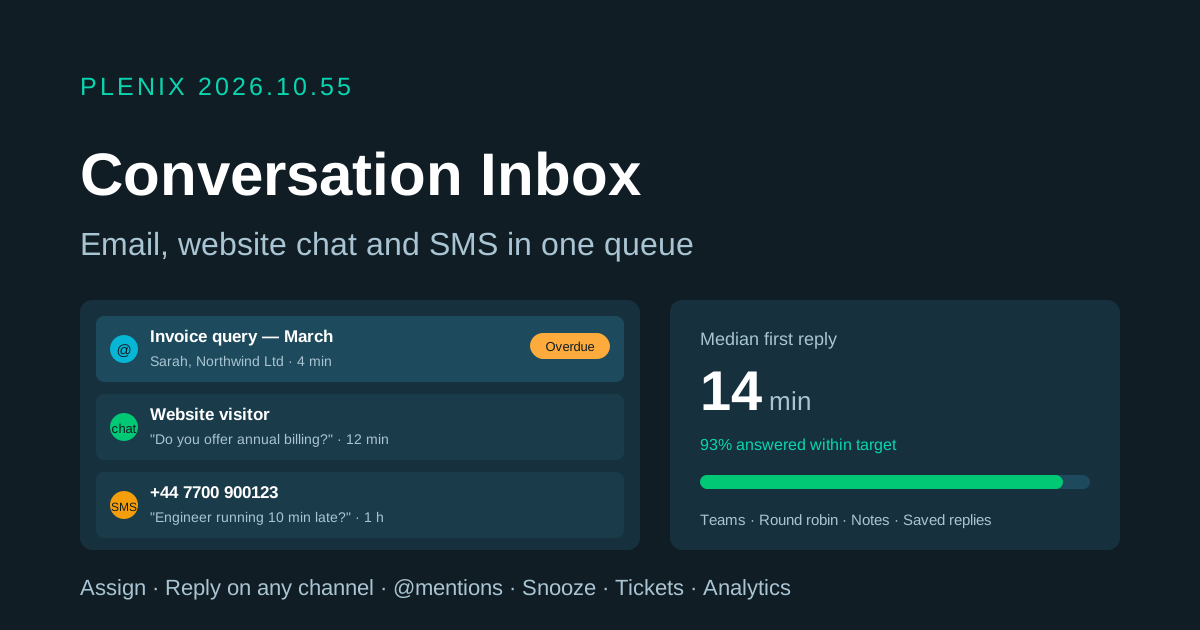
Release 2026.10.55 brings the conversation inbox to Plenix (Inbox → Conversations in the sidebar). The inbox is part of the email hub, so it is on every plan. Plans and prices have not changed.
New features
- One inbox for every channel. Emails to your connected mailboxes, chats from your website and text messages all arrive in one queue. Your existing email threads and website chats are already in it.
- Views for the whole team. See what is assigned to you, what nobody has picked up, conversations where you were @mentioned, and each team's queue. Filter by status, channel, priority, tag or person, search by name, email, phone or subject, and sort by who has waited longest.
- Reply on the same channel. An email reply goes from the mailbox it came in on, a chat reply goes to the visitor on your website and a text reply goes by SMS. Start a new email or text conversation from the inbox too.
- Internal notes and @mentions. Discuss a conversation with colleagues without the customer seeing it. Mentioned people are notified.
- Saved replies. Insert prepared answers by typing / and a shortcut. Admins keep shared replies; everyone can keep their own.
- Status, snooze, priority and tags. Mark conversations open, waiting on the customer, snoozed or closed. Snoozed conversations come back at the time you choose, and any conversation reopens by itself when the customer writes back.
- Customer context alongside. Link a conversation to a CRM contact and company, or create the contact in one click, and see their tickets, deals and other conversations. Turn a conversation into a ticket when work needs tracking.
- Teams and routing. Create inbox teams, send each channel's new conversations to a team and share them out in turn (round robin) or assign them by hand.
- Two-way SMS. Customers can text your Twilio number and you can reply from the inbox. People who text STOP are not messaged again until they text START.
- Inbox analytics. See volume by channel and day, median time to the first reply and to closing, the share answered within your target, the busiest hours and each person's workload. Click any figure to open the conversations behind it.
Improvements
- Website chat settings. Switch the chat widget on, set its title, colour, greeting and an automatic first reply, require visitors' email addresses, preview it and copy the embed code. Workspaces whose website chat already had visitors keep it switched on.
- First-response target. Conversations waiting longer than your target are flagged as overdue. Conversations waiting on the customer can close themselves after a number of quiet days.
- Email to tickets your way. Choose whether incoming email still creates a ticket straight away, or lands in the inbox for triage first.
- Conversations everywhere. Contact pages, the company Customer 360 tab and tickets now list their linked conversations, and the sidebar shows how many are unread.
- Automations. Workflow rules can now react to inbox conversations.
Security
- Customer names, email addresses and phone numbers on conversations are stored encrypted.
- Incoming text messages are only accepted when the sender's signature checks out.
- The website chat widget only opens on workspaces that have switched it on.