Plenix 2026.10.62 — Pay equity: pay gaps by group, like-for-like roles, outliers and dated reports
HCM gets a pay equity hub. See gender and other pay gaps worked out from hourly pay, compare groups inside the same job title or pay band, find people paid well below their peers, and freeze the figures on a snapshot date for a gender pay gap report. Equality details are given privately by each person and small groups are never shown.
T
The Plenix Team·21 October 2026·3 min read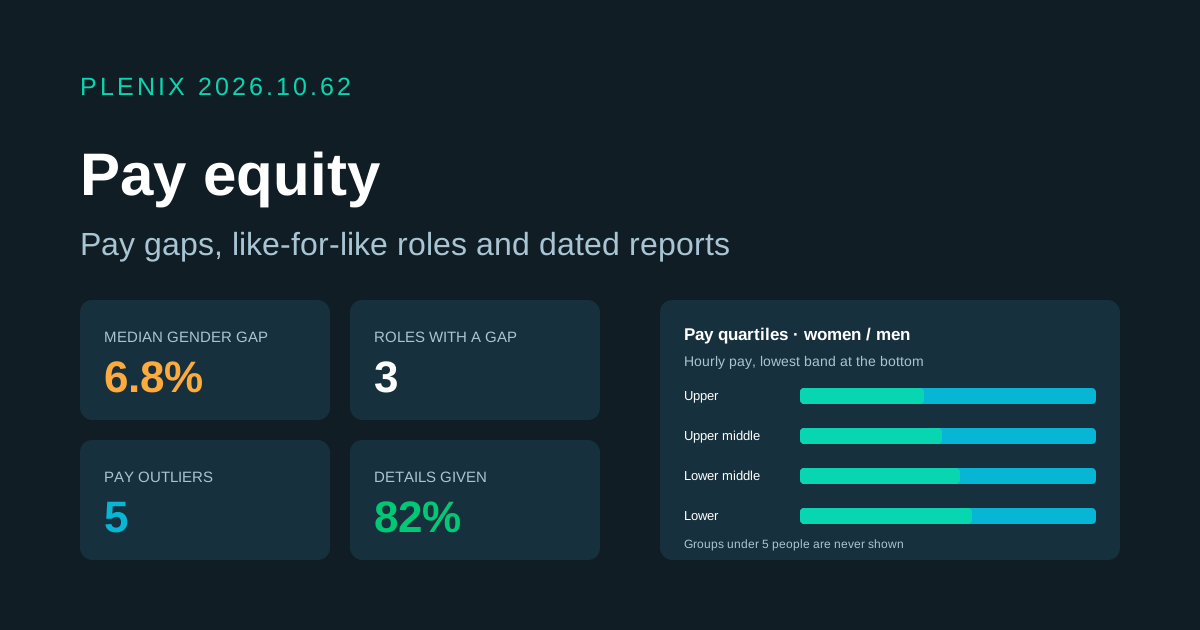
Release 2026.10.62 adds Pay equity (HCM → Pay equity in the sidebar). Pay equity is part of the HCM module, so it comes with the Business and Enterprise plans. Plans and prices have not changed.
New features
- Pay gaps by group. See mean and median hourly pay, and the gap against a reference group, by gender, ethnicity, disability, age band, department, branch, employment type or pay band. The largest group is the reference unless you pick another. A positive gap means a group is paid less.
- Gender pay gap figures. The mean and median hourly gap, the mean and median bonus gap over the last 12 months, the share of women and men who got a bonus, and pay quartiles: everyone sorted by hourly pay and split into four equal bands, showing the share of each group in each band. These are the figures UK gender pay gap reporting asks for.
- Like for like. Compare groups inside the same job title or pay band, so a gap caused by who does which job is kept apart from a gap between people doing the same job. Roles with a gap at or above your flag level (5% by default) are flagged.
- Pay outliers. A list of people paid well below the median of others with the same job title (10% or more by default), or under their band minimum. Open a person's pay page or change their pay from the list. Outliers come from pay and job title only, never from equality details.
- My details. Everyone can give their gender, ethnic group and disability status. Every question is optional, and people can change or remove their answers at any time. HR can ask everyone who has not answered with one click, and can enter answers a person gave on paper.
- Reports. Take a snapshot of the figures as they stood on a date, for example 5 April (31 March in the public sector) for a gender pay gap report or a board pack. Pay, roles and people are worked out as they were on that date. Add a narrative, refresh the figures while the report is a draft, then publish it to lock it. Export any report to CSV.
Improvements
- Working hours. Salaried pay is turned into an hourly rate using each person's contracted weekly hours, so part-time staff are compared fairly. A Working hours screen lists salaried people with no hours recorded and lets HR fill them in on the spot.
- Overview. The median gender gap, flagged roles, outliers, missing hours, the widest gap for other groups, how many people have given each detail, and the latest report. Every tile opens the screen behind it.
- Settings. Set the smallest group shown (at least 3), the standard hours a year, the flag level for like-for-like gaps, the outlier threshold, the currency, and whether equality details are collected.
Security
- Only the person sees their own answers. Equality details are encrypted. HR and managers cannot read anyone's answers back, including answers HR entered for them. They are left out of audit logs and data exports, and are only used in group figures.
- Nobody can be picked out. Any group smaller than your minimum group size (5 by default, never less than 3) is hidden everywhere, including in quartiles, like-for-like comparisons and saved reports. Reports store group figures only, never anyone's pay or details.
- HR only. Everything except My details is limited to HR.