Plenix 2026.10.60 — Compensation: pay bands, a full pay history and merit cycles
HCM gets a compensation hub. Set pay bands for each role and see who is underpaid or above range. Every pay change is kept with its reason and date, and changes dated in the future are applied on the day. Run merit cycles where managers plan rises for their team within a budget, guided by performance ratings, and HR approves before anything changes.
T
The Plenix Team·21 October 2026·4 min read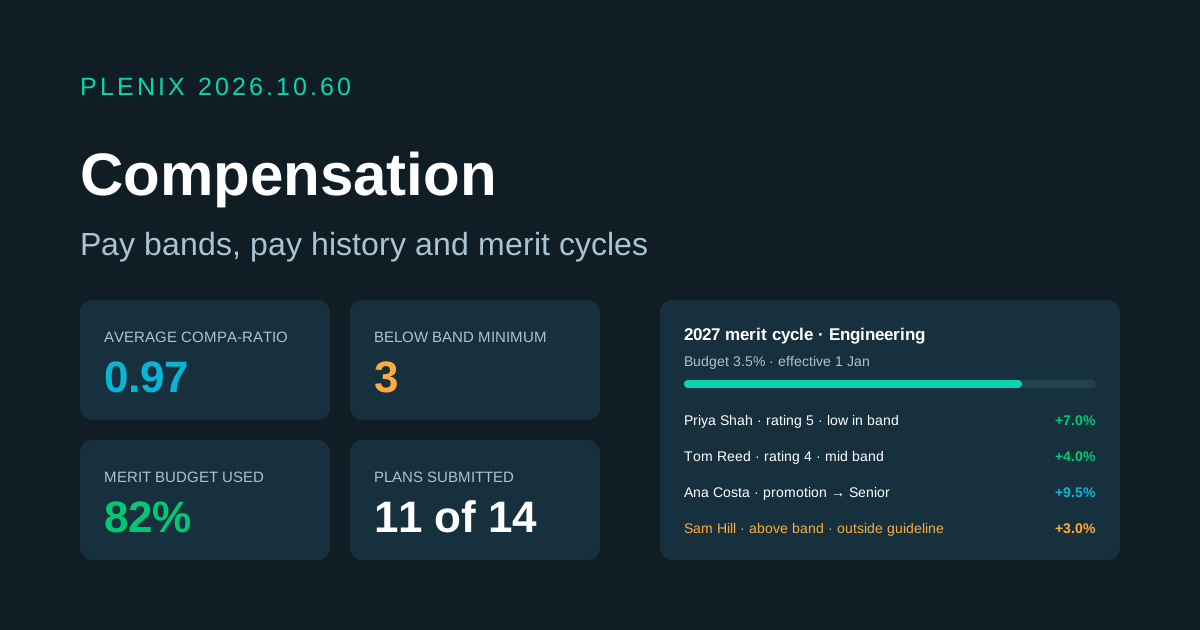
Release 2026.10.60 adds Compensation (HCM → Compensation in the sidebar). Compensation is part of the HCM module, so it comes with the Business and Enterprise plans. Plans and prices have not changed.
New features
- Pay bands. Give each role a band with a minimum, midpoint and maximum, yearly or hourly, in any currency. List the job titles that belong to a band and Plenix can place everyone in the right band in one step.
- See where everyone sits. Each person gets a compa-ratio (their pay divided by the band midpoint). The bands page shows, for each band, how many people are below the minimum, inside the band and above the maximum. Click any number to see those people.
- A full pay history. Every pay change is kept with the old and new pay, the reason (new hire, merit, promotion, market adjustment, correction or other), a note and who made it. Changes made on the employee record are recorded too, so nothing goes missing.
- Future-dated changes. Give a change a future effective date and it waits. Plenix applies it on the day, and you can cancel it before then.
- Merit cycles. HR sets up a cycle with an effective date, a due date for managers, a merit budget as a percentage of pay, and an optional bonus pot. Choose who is in it by department, branch or person, and leave out people hired after a date. People who are leaving, or who have no pay recorded, are left out, and the preview tells you why.
- Suggested rises from a guideline matrix. Link the cycle to a performance review cycle and each person's rating is used. The matrix gives a range for each rating and position in the band, so a top performer low in their band is suggested more than one already above it. You can change every range.
- Manager worksheets. When the cycle launches, each manager gets their team with the suggested rise already filled in. They can enter a rise as a percentage or as new pay, add a bonus, mark a promotion with a new band and job title, and add a note. A live budget bar shows what is left.
- HR review. HR sees every manager's progress and the average rise by rating. HR can approve rows, send them back with a note saying what to change, move people to another manager, and apply the cycle. Applying schedules every approved rise, promotion and bonus for the effective date.
Improvements
- Your own pay. Everyone can see their own pay, their band and their pay history under My pay. You choose whether employees see their band.
- Managers' view. Managers can see the pay of the people who report to them, directly or further down, unless you turn this off in settings.
- Rises outside the guideline. A rise outside the guideline is highlighted. You can require a note before it is accepted.
- Analytics. See the pay bill, people below, inside and above their band, average compa-ratio by department and band, the pay spread for each job title, pay changes by month and reason, and the cost of changes still to come. The overview lists the people furthest from their band midpoint.
- Reminders. Managers who still have people to plan are reminded as the due date gets close, and HR can send a reminder at any time.
- Automations. Workflow rules can react to pay changes and merit cycles.
Security
- Pay stays private. Only HR sees everyone's pay. Managers see only the people below them, and only when that is turned on. Employees see only their own pay. A manager planning a cycle can change only their own team's rows, and only until they submit them.