Plenix 2026.10.49 — Fleet: vehicles, drivers, walkaround checks, fuel, workshop, contracts and running costs
Fleet keeps every company vehicle road-legal and paid for in one place. Track MOT, tax, insurance and services with reminders before anything lapses, give drivers a phone-friendly walkaround check that takes an unsafe vehicle off the road, log fuel and see real economy, run repairs and services through the workshop, and see the true cost of every vehicle.
T
The Plenix Team·16 October 2026·4 min read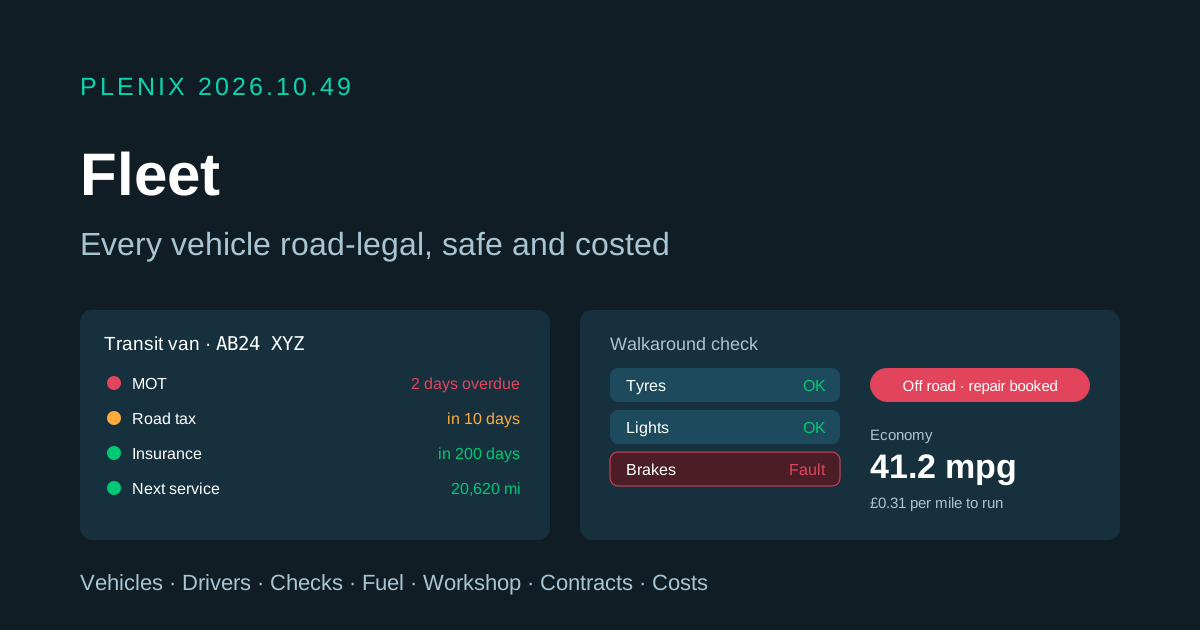
Release 2026.10.49 brings Fleet to Plenix (Field Service → Fleet in the sidebar). Fleet comes with Field Service on the Business and Enterprise plans. Plans and prices have not changed.
New features
- One place for every vehicle. Add cars, vans, trucks, motorbikes, trailers and plant with registration, make and model, VIN, fuel type, odometer, purchase price and who manages it. A registration can only be added once, however it is typed.
- Drivers. Add drivers from your HR employees, from your team or by name. Record licence categories, expiry, penalty points and when the licence was last checked. Hand a vehicle to a driver (or take it back) with the odometer reading at handover; the driver is told it is theirs and asked to do a walkaround check.
- Due dates that don't slip. MOT, road tax, insurance, service (by date or by distance), driving licences and contract end dates are all tracked. The Due tab lists everything overdue or coming up in the next 30 days, and the vehicle's manager (or your admins) get a reminder 30, 14, 7 and 1 days before, on the day, and every week once overdue.
- Walkaround checks. A driver ticks OK or Fault for each item on a checklist that suits the vehicle (couplings for trucks and trailers, charging for electric vehicles). Every fault needs a note. A fault on a safety item such as brakes, tyres, lights or steering marks the vehicle unsafe and takes it off the road, and the manager is told straight away.
- Defects to repairs. A manager can sign defects off as fixed, or book a repair from them in one click. When the repair is done, the defects are closed and the vehicle goes back on the road.
- Workshop. Book services, repairs, MOTs, tyres, inspections and bodywork with a supplier from your vendors or any garage, start them and mark them done with the cost. Finishing a service moves the next service date and distance on by the vehicle's interval.
- Fuel and economy. Log fuel or charging with litres, gallons or kWh and the cost. Plenix works out real-world economy (mpg, l/100 km or miles per kWh) from full-tank fills, and the odometer follows each fill.
- Contracts. Keep leases, insurance policies, finance, warranties, breakdown cover and fuel cards against each vehicle with the provider, reference, dates and payments.
- True running costs. Every vehicle shows its fuel, servicing, contract and other costs (tolls, parking, fines, congestion charges, cleaning), cost per mile, and what it has cost to own. Other costs can be charged to the driver who ran them up.
Improvements
- A hub built for action. Tiles for vehicles on the road, off the road, overdue items, open defects, jobs in the workshop and drivers all click through to the list behind them. Search by name or registration, filter by status, show only vehicles that need attention or have no driver, and export the fleet to CSV.
- History on every vehicle. A timeline of handovers, fuel, checks, workshop jobs and odometer readings, plus the full driver and odometer history.
- Disposal. Dispose of a vehicle with its sale value; it keeps its history, is released from its driver and can be restored. Vehicles can also be archived out of the way.
- Automations. New triggers: Walkaround Check Submitted (filter on the result to act on defects or unsafe vehicles), Vehicle Service Completed, Vehicle Added and Vehicle Assigned.
Security
- Licence numbers are encrypted at rest and only fleet managers and admins can see them in full. Everyone else sees a masked number, and licence numbers are never included in the export.
- Only managers and admins can change licence details or driver status, sign off defects, dispose of, delete or archive vehicles, or wind an odometer back.
- A walkaround check must answer every item on the checklist. An unanswered item is never recorded as a pass.
- Viewers can see the fleet but cannot change it, and Fleet follows your Field Service access settings.