Plenix 2026.10.64 — Ticket macros
Save the steps you repeat on tickets as one-click macros: a reply or note with the ticket's details filled in, status, priority, queue and other fields, assignment, following, time and a due date. See exactly what a macro will change before it runs, run it on up to 100 tickets at once, and see which macros your team really uses.
T
The Plenix Team·22 October 2026·3 min read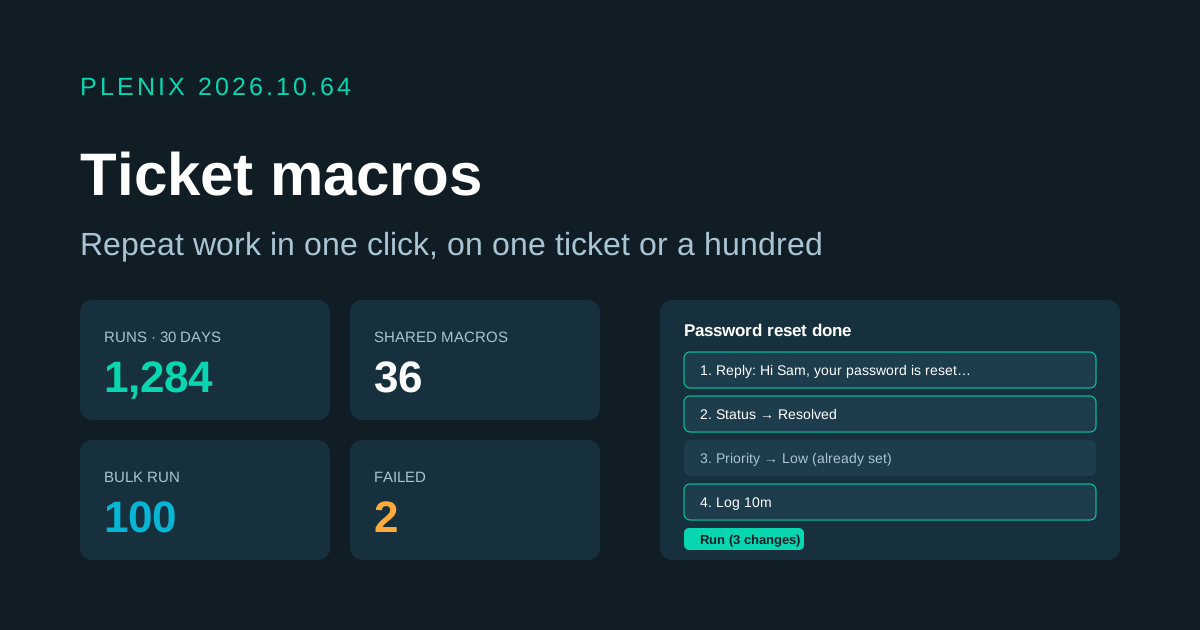
Release 2026.10.64 adds Macros to Ticketing (Ticketing → Macros, and a Macro button on every ticket and on the ticket list). Macros come with the Ticketing module. Plans and prices have not changed.
New features
- Macros. Save a set of steps and run them on a ticket with one click. A macro can add a public reply (emailed to the requester, or not), add an internal note, set the status, priority, queue, category, issue type, work type, on-hold reason or source, assign the ticket to whoever runs it, to a set person or to nobody, follow the ticket, log time and set a due date a number of hours ahead. Steps run in the order you put them.
- Ticket details filled in. Replies and notes can include the ticket number, subject, status, priority and queue, the requester's name or first name, the company and your own name. If a placeholder is misspelt, the preview warns you before anything is sent.
- See it before it runs. Picking a macro shows every step as it will happen on this ticket, with the text filled in. Steps that would change nothing, such as setting a priority the ticket already has, are shown crossed out and skipped.
- Run on many tickets. Select up to 100 tickets on the ticket list and run a macro on all of them. You see how many worked and why any did not.
- Shared and personal macros. Administrators and engineers create shared macros for the whole team. Anyone can keep personal macros that only they see, and copy a shared macro to make their own version.
- Folders and favourites. Group macros into folders, search them, switch one off without deleting it, and see your most used macros at the top of the picker.
- History. Every run is recorded. A ticket shows which macros have been run on it and by whom, and each macro shows its recent runs with links to the tickets.
- Analytics. See your top macros over 7, 30 or 90 days, how use has changed day by day, who uses macros most, runs that failed and why, and macros nobody has used lately so you can tidy them up.
Improvements
- Same rules as doing it by hand. A macro that resolves or closes a ticket must include a closing note. Macros respect SLA timers, notifications, the audit trail and ticket automations, just as if you had made each change yourself. Moving a ticket out of a waiting status clears an old on-hold reason.
- Replies go out first. When a macro replies and resolves in one go, the client gets the reply before the "resolved" email.
- Logged time. Time logged by a macro is recorded against you, billable unless you say otherwise, with the macro's name as the description if you leave it blank.
Security
- Permissions. Only the owner can change a personal macro, and only administrators and engineers can create, change or share shared macros.