Changelog — 8 October 2026
Everything that changed in Plenix this week: a rebuilt RMM with monitoring policies, components and a fleet report, payroll that Accounting can pay, a general ledger and automatic ledger posting, branded documents, a Quotes hub, guided client onboarding, a new remote control viewer, iPhone sign-in approvals and two rounds of security fixes.
T
The Plenix Team·8 October 2026·6 min read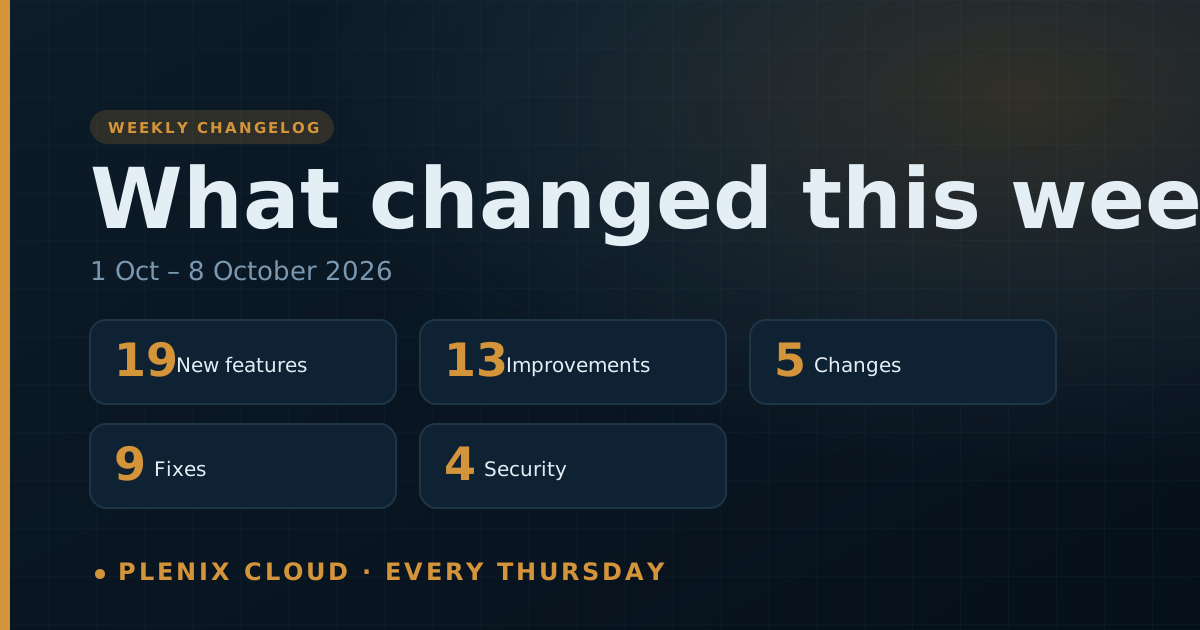
The Plenix changelog lists every change that reached customers in the past week: new features, improvements, fixes and security work. It is published every Thursday. For the longer story behind the bigger features, read the release notes linked at the end.
This changelog covers Thursday 1 October to Thursday 8 October 2026.
New features
- RMM monitoring policies. Built-in policies for workstations, servers, domain controllers and critical servers, with alert settings for each monitor and an Alerts tab. Turn them on as they are or copy one to change it.
- RMM components. More than 80 ready-made installs and fixes: applications from winget, security agents, printers, Windows maintenance and security hardening. Add your own installers by upload or vendor link with a checksum, and use variables and encrypted secrets.
- RMM groups and filters. A built-in catalogue, a rule builder with a live preview, and cards you can pin to the fleet view.
- RMM automations. Live triggers (device offline, CPU, memory or disk, script failed), conditions, device targeting and five actions, with a test on a real device before you turn a rule on.
- RMM fleet report. Reports is now one report in sections: Fleet, Monitoring, Patching, Automation and Clients. The fleet view opens with a Needs attention strip.
- Reachability check for network devices and a monitoring switch on every device.
- Payroll pay-out. Accounting can pay a payroll run: download a CSV or BACS Standard 18 bank file, mark wages paid from a bank account and match the payment to the statement. Approved expense and mileage claims are repaid through payroll or directly.
- General Ledger. A new Accounting screen with running balances for every account.
- Ticket period boards. Today, Yesterday, This Week, Last Week, This Month and Last Month boards in the Ticketing Hub, each with the tickets behind its figures. Copy a board to make your own.
- Document branding (Professional, Business and Enterprise). Your logo, letterhead, accent colour and footer on invoices, credit notes, bills, proposals and quotes: on screen, in print, in emails and in the customer portal.
- Quotes hub. CRM → Quotes prices a one-off purchase with numbered quotes, VAT on every line, approval in the customer portal and one-click conversion to an invoice.
- Client onboarding workspace. A guided workspace with multiple credentials or devices per item, photos and a sign-off report. Passwords are saved in your Credentials Vault.
- Sales pipeline hub. Correct totals, a forecast by month, and insights into win rate, stage conversion and lost deals.
- Sign-in approvals for iPhone. Push approvals now work on iPhone, signed by a key that stays on the phone.
- Remote control viewer. A Fill view with no bars, a Stretch mode, edge panning, a monitor map and an All Monitors view for devices with several screens.
- Managed print. Accent-colour pages are tracked separately and billed the way you choose. Each printer has a print job log and engineer controls. Print invoices are emailed when raised, and finance gets a delivery report after every run.
- Purchase orders. A full detail view and a complete lifecycle, including receiving into stock.
- Preventive maintenance. Plans now save and raise their own work orders.
- Internal-only forms. A form can be kept for internal use instead of being public.
Improvements
- Every number opens its records on the RMM Reports, All Sites, Device Groups and fleet pages, and on the sales pipeline.
- All Sites shows a health badge and counts for each client, with filters, sorting and CSV export.
- Script Library. Run a script now, copy a built-in script and filter the run history.
- Ledger posting. Every invoice, bill, credit note and payment now posts to your ledger by itself. You can record part payments, void a payment and prepare a VAT return from the ledger.
- Journal Entries have search, filters, paging and export, and each entry names the customer, supplier or employee behind it.
- Searchable pickers replace long dropdowns across accounting, inventory, HCM, ticketing, calendar and RMM. Forms let you search by name instead of typing an ID.
- Charts name their axes, and ticket statuses and priorities use the same colours everywhere.
- Widget colours. The colour you pick applies to every chart style, from a palette of 42 colours.
- Module report pages group reports under a heading for each topic.
- Sign-in methods. Code only, Push only and Push + code are applied exactly on the web and in the mobile apps.
- Android app. Approve a sign-in with biometrics, and a notification tap opens the approval directly.
- HR screens. Shifts, benefits and recruitment have full pages and are limited to HR roles.
- Stock and costs. Transfer goods between warehouses without losing inventory, and compare cloud costs in your accounting currency.
Changes
- Built-in RMM items are read-only. Copy a built-in policy, group, filter, component or script to make your own version.
- Network devices are not monitored by policies. Use the reachability check for the ones you want watched.
- Document branding is on Professional and above. Starter documents show your account name.
- Approving a sign-in needs the number shown in your browser, unless the phone is bound to your account with its own key.
- Supplier portal links now run for 90 days.
Fixes
- Network devices found by scanning no longer raise Device Offline tickets.
- Scheduled script jobs now run at their scheduled time.
- Remote control: fixed a flickering second monitor, a hidden taskbar, arrow keys typing numbers, input freezing on multi-monitor devices, and lag and dropped keys in long sessions.
- Ticket period boards no longer grow down the page.
- Dashboard change badges show the real figure for the period.
- Project budgets list every project and no longer fail when you add a second line.
- Printer usage now includes today's readings.
- Invoices raised from a company page or through the API reach your ledger.
- Leads Hub now enforces its approval limit.
Security
- Two rounds of fixes from this month's security review, covering sign-in, the customer portal, single sign-on, shared links and the public API.
- Customer portal sign-ins are stored where page scripts cannot read them.
- Single sign-on finishes only in the browser that started it.
- Saved links are checked before they open.
Read more
- Plenix 2026.10.29: RMM, rebuilt
- Plenix 2026.10.28: ticket period boards
- Plenix 2026.10.27: payroll pay-out
- Plenix 2026.10.26: general ledger
- Plenix 2026.10.23: remote control viewer
- Plenix 2026.10.21: sign-in approvals for iPhone
- Plenix 2026.10.16: ledger posting
- Plenix 2026.10.14: client onboarding
- Plenix 2026.10.13: quotes
- Plenix 2026.10.10: document branding