Plenix 2026.10.29 — RMM, rebuilt: policies that watch, components that fix and reports you can read
Remote monitoring and management has been rebuilt from the device list up. Built-in monitoring policies, groups, filters and more than 80 ready-made components work from day one. Automations act on live triggers, the Reports page is one sectioned fleet report, and every number opens the devices behind it.
T
The Plenix Team·8 October 2026·6 min read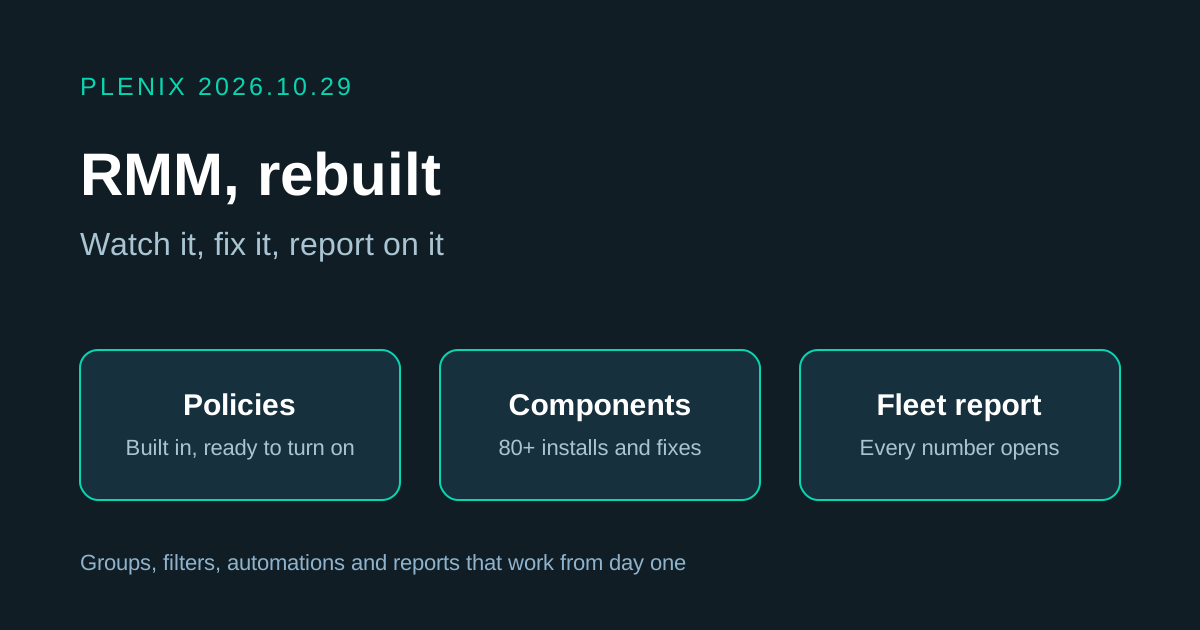
Release 2026.10.29 rebuilds RMM: how you group devices, what gets monitored, how you install and fix things, how rules run, and how you read the state of your fleet.
New features
- Monitoring policies. A policy says which devices it applies to and what to watch on them. Plenix now includes built-in policies for workstations, servers, domain controllers and critical servers:
- Checks that matter. Device offline, CPU, memory and disk, uptime, a reboot pending, missing updates, vulnerable or outdated software, required software missing, unwanted software installed, an unsupported operating system, hardware below spec and devices not seen for 30 days. You can also build a custom condition.
- Alert settings per monitor. Each monitor sets how long the condition must hold, the severity, whether to raise a ticket and whether to notify your team. When the condition clears, the alert and its ticket close by themselves.
- Turn on or copy. Built-in policies arrive switched off. Turn on the ones you want, or choose Copy to edit to change the limits.
- An Alerts tab lists every open alert with its device and policy, and each device has a Policies tab showing what is watching it.
- Components. A component is a packaged install or fix that you run wherever it is needed. More than 80 are built in:
- Applications installed silently from the winget catalogue: browsers, productivity and communication apps, developer tools, runtimes, VPN clients and more.
- Security agents: ESET, SentinelOne, CrowdStrike Falcon, Sophos, Huntress, Bitdefender and Webroot, using your own installer and key.
- Fixes and settings: printers, Windows maintenance and repair, security hardening, Microsoft Defender, software removal, and updates for Linux and macOS.
- Your own installers. Upload an MSI or EXE file, or give the vendor's download link with its SHA-256 checksum. Plenix checks the file on the device before it runs.
- Variables and secrets. A component can ask for values such as a printer address or a licence key. Secrets are stored encrypted and removed from run output.
- Skip when done. A check for installed software, a file, a registry value or a service stops a component running on a device that does not need it.
- Fix problems automatically. A monitor can run a component when it raises an alert, for example clearing temporary files when a disk fills up.
- Built-in groups and filters. A catalogue of ready-made groups and filters covers device class, operating system, manufacturer, hardware, health, security and updates, software and status. They fill themselves from rules and refresh every 15 minutes.
- A rule builder for your own groups and filters, with a preview of the devices that match before you save.
- Pinned cards. Pin any group or filter to the top of the fleet view and click it to filter the fleet.
- Automations that act. RMM automations now run on live triggers: a device goes offline, a device reports its CPU, memory or disk, or a script fails. Add conditions, choose the devices, and pick one or more actions: run a component, run a script, restart a service, create a ticket or notify administrators.
- Test on a device. Before you turn an automation on, test it against a real device. Plenix shows whether it would fire and which step passed or failed, without running anything.
- Needs attention. The fleet view now opens with a strip showing servers offline, open alerts, critical and high patches waiting, failed runs, devices not seen for 30 days and devices with no client. Each tile opens the matching list.
- A reachability check for network devices. Turn it on for a switch, router or printer to be told when it stops answering on the network.
- A monitoring switch on every device. Switch monitoring off for a machine that is being rebuilt or retired, with a reason. Plenix records who did it and when.
Improvements
- RMM Reports is one readable report. The page is now split into Fleet, Monitoring, Patching, Automation and Clients, with a 7, 30 or 90-day period, a section bar and a print button. The report builder sits underneath with four ready-made reports.
- Every figure opens its records. Numbers, bars and rows on the Reports, All Sites, Device Groups and fleet pages open the devices, alerts or runs behind them, with the same filter applied.
- All Sites shows health. Each client card has a health badge, an online bar, and counts for servers offline, open alerts and patches waiting. Filter by health, search, sort worst first and export to CSV.
- Fleet view filters. A new servers and workstations filter, and links from reports, sites and groups open the fleet view already filtered.
- One way to choose devices. Policies, components, automations and scripts all use the same picker: all devices, customers, groups and filters, or chosen devices.
- Script Library. Run a script now on the devices you choose, copy a built-in script to edit it, and filter the run history by script, status or the automation that started the run.
- Automation run history. Each automation shows when it fired, on which device and what each action did, with links to the device and the run.
- Report builder. Reports on policies and on groups and filters can now use category, built-in, devices covered and last checked.
- Module report pages. With All selected, reports are grouped under a heading for each topic instead of one long page. This applies to the report pages of every module.
- Device facts. Plenix now records more hardware facts for each device, so rules can use memory, disk, manufacturer and model.
Changes
- Built-ins are read-only. Built-in policies, groups, filters, components and scripts cannot be edited, so they stay correct as Plenix updates them. Copy one to make your own version.
- Network devices are not monitored by policies. Switches, routers, printers and other devices found by a network scan no longer raise Device offline alerts. Use the reachability check for the ones you want watched.
Fixes
- Network devices no longer raise Device Offline tickets. Devices found by scanning, which have no agent, were being treated as offline computers.
- Ticket period boards no longer grow down the page. Boards with donut charts kept getting taller after they loaded.
- The unassigned devices link on All Sites now opens the devices with no client.