Plenix 2026.11.1 — Security hardening and signed agent updates
A security release: agent updates now have to be signed with a key that never touches our servers, colleagues' pay and personal details are hidden from people who do not need them, temporary passwords are much stronger, and a long list of smaller protections tighten exports, email, support access and public pages.
T
The Plenix Team·10 November 2026·3 min read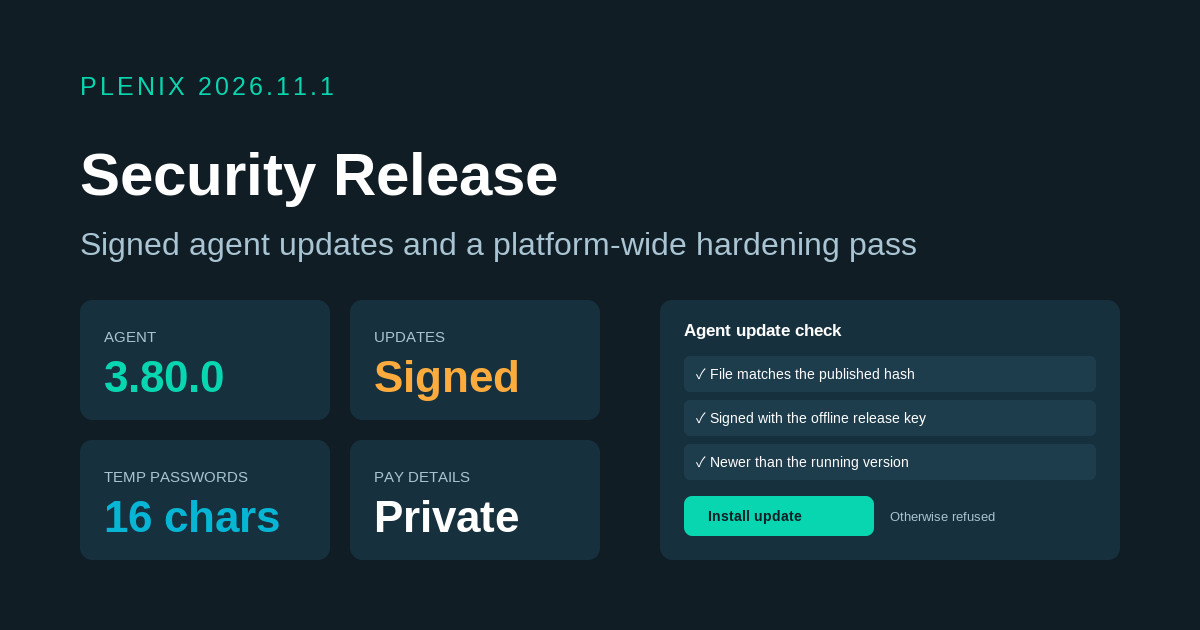
Release 2026.11.1 is a security release. It comes from a security review of the whole platform. You do not need to do anything, and plans and prices have not changed.
Improvements
- Signed agent updates (agent 3.80.0). The Plenix agent now installs an update only if it is signed with a release key that is kept offline and never stored on our servers. The signature covers the exact file, version and operating system, and the updater never moves an agent to an older version. Even someone who took control of our update server could not get their own program onto your devices.
- Nightly certificate checks work again. The nightly check of tracked SSL certificates had not checked anything since 1 October. It is running again, so expiry dates and warnings are up to date.
- Next.js 15.5.29. The web app, documentation and website run the latest patched release of the framework they are built on.
Changes
- Pay and personal details are private. In the employee list and on employee records, pay, National Insurance number, bank details, home address, date of birth and notes are shown only to HR, administrators and the person themselves. Line managers still see their team's contact details.
- Deleting compliance records needs Full control. You now need Full control on Compliance to delete audits, incidents, QHSE training and risk assessments.
- Whole-workspace data requests are explicit. To fulfil a data subject access request that is not tied to a client, you now have to choose the whole workspace on purpose, and that export is never sent out as an emailed link.
Fixes
- Re-invited users are no longer locked out. If someone had once used account recovery and was later sent a new temporary password, that password could be rejected as expired. Setting or changing a password now clears the old recovery deadline.
- Changing an employee's role now always updates the right account.
Security
- Stronger temporary passwords. Every emailed temporary password is now 16 characters long, made with a secure random generator from a character set that leaves out look-alike characters.
- Secrets stay on the server. Agent tokens, remote-control passwords, password hashes and connector keys are removed from every response automatically. The only exception is the one-time display of a token when you create an installer. Security connector API keys are now encrypted at rest.
- Device web pages open only in your browser. A link that opens a printer's or router's web page through Plenix now works only in the browser that opened it first.
- Exports and email. CSV exports neutralise spreadsheet formulas, outgoing mail requires an encrypted connection to the mail server, and names in emails are escaped.
- Expense claims accept only expense claim fields.
- Outbound requests such as webhooks, link previews and downloads cannot reach internal services on our servers, and there are limits on the size of their responses and how long they can take.
- Support access is narrower. When our support team signs in as one of your users to help, destructive platform actions are blocked, and every such session is recorded and rate-limited.
- Closed workspaces stop working everywhere. When a workspace is suspended or deleted, its public pages and client portal sign-in stop working as well. Removing a workspace deletes all of its remaining data and keeps only the security records.