Plenix 2026.10.43 — Team Messages: scheduled messages, polls, reminders, statuses and slash commands
Team Messages now lets you write a message now and send it later, run quick polls, save messages and set reminders, tell people your status, pause notifications when you need to focus, and do all of it from the keyboard with 17 slash commands.
T
The Plenix Team·15 October 2026·3 min read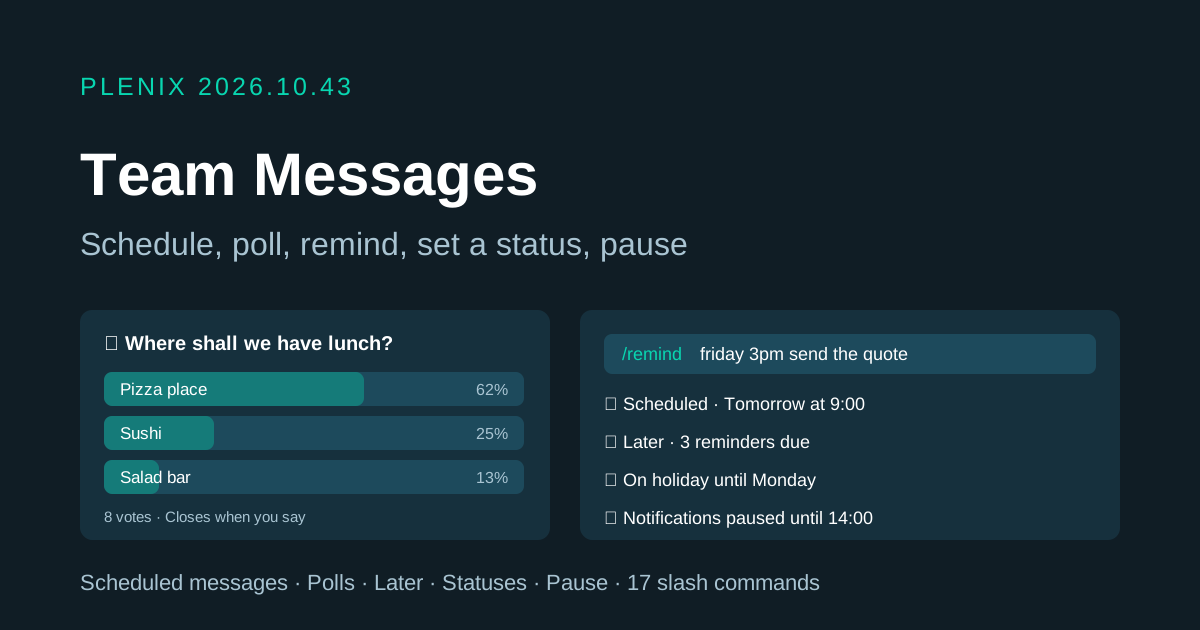
Release 2026.10.43 adds a set of everyday tools to Team Messages. Team Messages is part of the Enterprise plan. Plans and prices have not changed.
New features
- Schedule a message. Write a message and click the clock next to Send. You can send it in an hour, in three hours, tomorrow at 9:00, on Monday at 9:00, or at any date and time you choose. You can edit, reschedule, send early or cancel scheduled messages. If one can't be sent, for example because you have left the channel, Plenix tells you why.
- Polls. Ask the conversation a question with up to 10 options. Polls can allow one choice or several, and can be anonymous. People see the results after they vote and can change their vote while the poll is open. The person who asked can close the poll and reopen it later.
- Later: saved messages and reminders. Save any message for later, or ask to be reminded about it in 20 minutes, in an hour, in 3 hours, tomorrow or on Monday. Everything is in one Later list with In progress, Scheduled and Completed tabs. When a reminder is due you get a notification and the bookmark button shows how many are due.
- Set a status. Tell people what you're up to, for example "🌴 On holiday until Monday" or "📅 In a meeting". Pick from suggestions or write your own, and choose when it clears. Your status shows next to your name in direct messages and conversation headers.
- Pause notifications. Pause notifications for 30 minutes, 1 or 2 hours, until tomorrow morning or until Monday. Messages and reminders still arrive and still appear in the bell, without pop-ups or sounds. Notifications come back on by themselves at the time you chose, or when you resume them.
- 17 slash commands. Type
/in the message box to do things without leaving the keyboard:/remind,/poll,/status,/dnd,/away,/back,/later,/call,/video,/meet,/topic,/invite,/leave,/mute,/unmute,/searchand/shrug.
Improvements
- Reminders understand everyday words.
/remindunderstands times such as "in 20 minutes", "tomorrow at 9am", "monday 9:30", "friday 3pm" or just "15:30". - The Team Messages guide in the help centre now covers all of the above.
Fixes
- Team Messages colours. Some highlights in Team Messages were showing no colour, including unread markers, mention highlights, selected items and status badges. They now display correctly.
Security
- Scheduled messages are checked again when they are sent. A message isn't posted if you have left the conversation or can no longer post there.
- Polls, reminders and saved messages are only available to members of the conversation. A reminder never shows a message you can no longer see.
- When a poll is anonymous, Plenix never shows anyone who voted for what, including the person who asked and conversation admins.