Changelog — 1 October 2026
Everything that changed in Plenix this week: Leads Hub, single sign-on, Team Comms calls and meetings, a new workflow engine, Network Maps and IPAM, a field-level audit trail, the credentials vault rebuild, fair plan-change billing, and 24 fixes and security updates.
T
The Plenix Team·1 October 2026·9 min read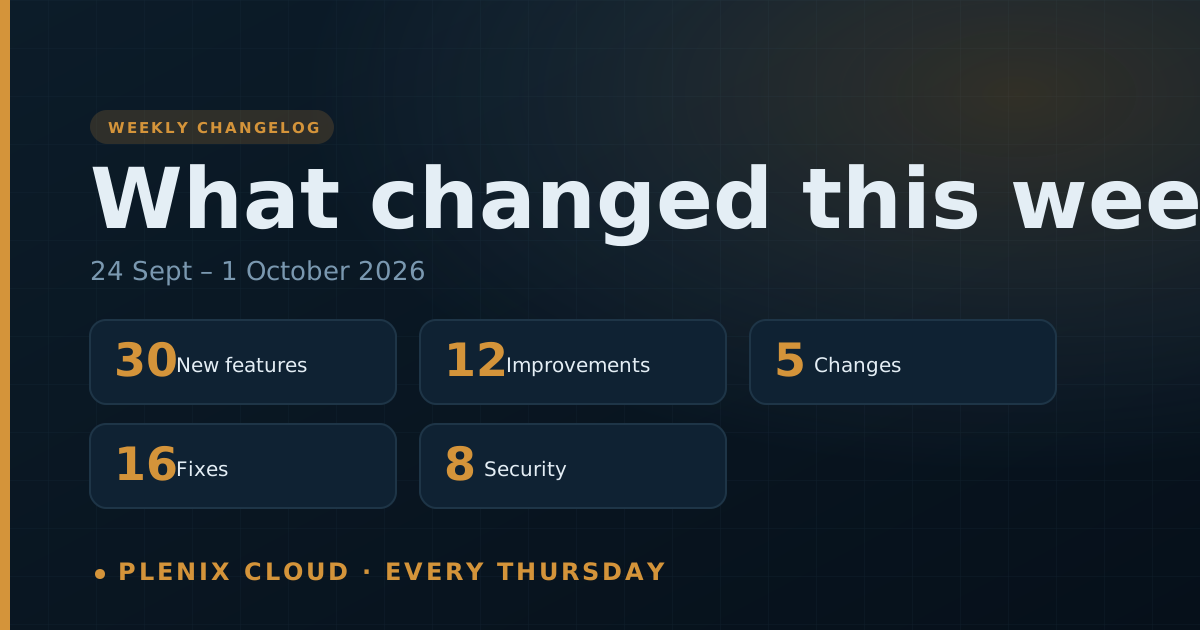
The Plenix changelog lists every change that reached customers in the past week: new features, improvements, fixes and security work. It is published every Thursday. For the longer story behind the bigger features, read the release notes linked at the end.
This first changelog covers Thursday 24 September to Thursday 1 October 2026.
New features
- Leads Hub (Enterprise). Find companies that fit your ideal customer, research them, reach out with multi-channel sequences, and trace every lead through to the deal, the invoice and recurring revenue. Includes ideal customer profiles, company discovery, saved-search monitors, AI website research, next best actions and ROI attribution.
- Content Studio (Leads Hub). Designed email templates, a drag-and-drop email editor and landing pages with lead forms and visit reporting.
- Sequences. Email, SMS, call, LinkedIn and task steps in one sequence, A/B testing, sending within the recipient's working hours, automatic reply handling and deliverability checks.
- Single sign-on (Business and Enterprise). Your team can sign in with Microsoft Entra ID, Google Workspace, Okta or any OIDC or SAML 2.0 provider. New users from your approved domains can be created on first sign-in.
- Team Comms (Enterprise). Team Messages is now a realtime hub with voice and video calls, scheduled meetings, guest join links with a lobby, recording, meeting notes and AI summaries, plus GIFs, full emoji and channel colours.
- Workflow Rules engine. A no-code workflow builder with 196 ready-made templates, template packs, approval steps and a run history for every workflow.
- Network Maps and IPAM. Devices are discovered automatically and drawn on a live network map, IP address records fill themselves in, and an AI review points out problems.
- Field-level audit trail. See exactly which field changed, from what to what, by whom and when, written in plain language. Filter and export the log, and undo a change safely (Plenix warns you if the record has changed since).
- Credentials vault rebuild. A three-pane vault with secure share links (optionally password-protected) and a password health report.
- Granular access control. Access roles now control individual screens and actions (view, edit or full control), and the same rules apply to dashboard widgets, search and reports. Grants given to a single person now work as expected.
- Account managers. Assign an account manager to each client company, see them in the company header, and see every client a person manages on their employee profile.
- Ticketing. Open each ticket in its own window, absorb other open tickets from the same client into one ticket, use 5 built-in ticket reports and 20 ready-made report templates, and choose how many tickets to show per page.
- Ticket requesters. Tickets from the portal, email, chatbot, agent and service desk now add the requester automatically and create or update the CRM contact. You can also add a new person straight from the ticket.
- Remote control. A single toolbar for both remote-control viewers, live chat with the person at the device (shared between engineers), a choice of PowerShell or CMD and admin or user in the live terminal, and remote access to the Windows sign-in screen, including Ctrl+Alt+Del, when nobody is logged in.
- Patching. New Software and Windows patching hubs, a winget software catalogue, and support for optional and preview Windows updates.
- Endpoint security. A Protected Devices list and a console for each device: scan, isolate, block an IP, quarantine a file, and view its effective policy. There is also a new Events hunting view and better incident filters.
- Monitoring alerts. When someone acknowledges, resolves or reopens an alert, the whole team sees it, along with who did it. Alerts clear themselves once the problem goes away.
- Client portal team management. Customer admins can invite colleagues, change their roles, and suspend or remove them, for their own company only.
- Dashboards and widgets. Every number on a dashboard opens the exact records behind it. There are 40 new data sources across every module, custom rows, date comparison, extra figures, readable donut charts and richer tooltips.
- Reports. Every module has drillable reports, and scheduled reports respect your plan and access.
- LMS. Quizzes, written-answer questions with a marking queue, retake limits and cooldowns, randomised papers, a My Learning page, bulk enrolment, reminders and PDF certificates.
- Documents. Version history, named versions and version compare, a retention policy, trash, starred, recent and shared views, drag-and-drop moves, folder templates, an activity log, comments, share links with viewer, commenter or editor permission, folder sharing by email, and an audit log.
- Accounting. Multi-entity books with intercompany charges and consolidation, a period close screen, an exchange rates screen, and the option to void or delete credit notes.
- Knowledge graph. A live graph explorer that shows how records connect and what a change would affect.
- Threat intelligence. Your own feed of indicators of compromise (IOCs), with a review workflow, lookups and SIEM correlation.
- Automations. Date triggers (for example contract renewals or invoice due dates), nested AND/OR conditions, a Slack/Teams action and signed webhooks.
- HR. Batch expense and mileage claims, half-day leave, leave balances, claims history, overtime rates, a bonuses screen and onboarding templates with checklists.
- CRM campaigns. A drip sequence and recipients screen. Campaigns stop automatically when a contact replies.
- Inventory. Barcode scan lookup, and a barcode or QR code for every item.
- Field service. The customer's signature is shown on the desktop work order.
Improvements
- Search. Semantic search now ranks results by meaning, using real AI embeddings.
- Lead tools on every plan. Web forms now create leads, leads can be imported from CSV or Excel, and every lead score explains how it was worked out.
- SLA badges. Policies that run on business hours now show working time and the real due date, and a tooltip explains the policy.
- Platform settings. Your company name, timezone and date format now apply across the app. Ticket columns can be laid out the way you want.
- Phone layouts. Dashboards, tables and in-app pages now work properly on a phone.
- Plenix-styled dialogs. Every browser pop-up (confirm, alert and prompt) has been replaced with a Plenix dialog.
- Company pages. Tabs can be reordered by dragging, favourites and recent companies follow you across devices, and the company cards are richer.
- Ticket activity. Every activity entry is labelled, tickets refresh live, and email senders are shown by name.
- Payment errors. Payment provider errors now say what went wrong and how to fix it. There is a new Company Payment Settings permission.
- Sign-up. You verify your email before checkout, and you land on your own sign-in page once your workspace is ready.
- Security alert routing. Choose from your full company list, add internal staff as recipients and send to several people at once.
- Faster pages. Dashboards no longer appear in visible steps as they load.
Changes
- Leads Hub is part of the Enterprise plan. Basic lead tools (web forms, import and scoring) stay on every plan.
- Team Comms (messages, channels, calls, meetings and guest links) is now Enterprise-only.
- Single sign-on is part of the Business and Enterprise plans. Custom roles and access control are on every plan.
- The MRR dashboard is available from the Professional plan.
- Changing plans is now fair to everyone. Upgrades take effect at once, and you pay only the difference for the rest of the period, with the exact amount shown first. Downgrades take effect at the end of the billing period, and only one downgrade can be scheduled per period.
Fixes
- Sign-up. Self-serve sign-ups could fail while your workspace was being created. Fixed.
- Purchase orders. Purchase orders now get a number, keep their line items and totals, and go through submit, approval and send.
- Mobile views. The mobile views now sign in correctly. Work order notes and the customer's signature are now saved, and the job timer records time properly.
- Broken screens. We fixed a set of screens whose buttons weren't connected to the server, and menu links to modules outside your plan are now hidden.
- Printers. Printers now report their real toner levels, so false "2% toner" alerts are gone. Printers that have never reported no longer open "offline" tickets.
- SLA timers. Putting a ticket on hold, resuming it or reopening it now follows working time.
- Ticket reassignment. Reassigning a ticket kept the old primary engineer. Fixed.
- Company edits. Saving a company with invoice CC addresses failed. Fixed.
- My Queue. My Queue now always shows your own tickets.
- Workload panel. The workload panel now loads for directors and counts assigned tickets correctly.
- Invoices. Creating an invoice without a customer now gives a clear error instead of crashing.
- Push sign-in. A temporary delivery failure no longer removes your phone from push sign-in. The authenticator-code box is always shown alongside push.
- Permits to work. Both permit-to-work routes now use one service, with a full lifecycle screen.
- Billing. Cancelling or purging a workspace now also cancels its card subscription, and reactivation requests now reach our team.
- Endpoint security. Enrolled devices always receive a security policy.
- Help links. Broken help links now go to the right articles.
Security
- Skills matrix. People can no longer verify their own skills.
- HR. Only HR staff can create or change bonuses and onboarding records, and a bonus can only be approved or rejected once.
- Ticket rules. Older ticket-rule endpoints are now locked down.
- Printer suppliers. Supplier API keys are never sent back to the browser.
- Accounting settings. Accounting settings are limited to finance staff and administrators.
- Exchange rates. Only administrators can change exchange rates, and every rate is validated.
- Updated components. We updated third-party components to the latest security fixes, including the email library and Next.js.
- Platform monitoring. We now run 56 automated health and security checks on the platform around the clock. A failed backup or restore test alerts our team straight away.