Plenix 2026.09.8 — Network maps and IPAM that build themselves
Every customer network drawn automatically from agents, scanners, printers and switches, with each device's patching, software, security and automations on the map, an IPAM that fills itself in and flags conflicts, a subnet planner, and an AI network review.
T
The Plenix Team·30 September 2026·6 min read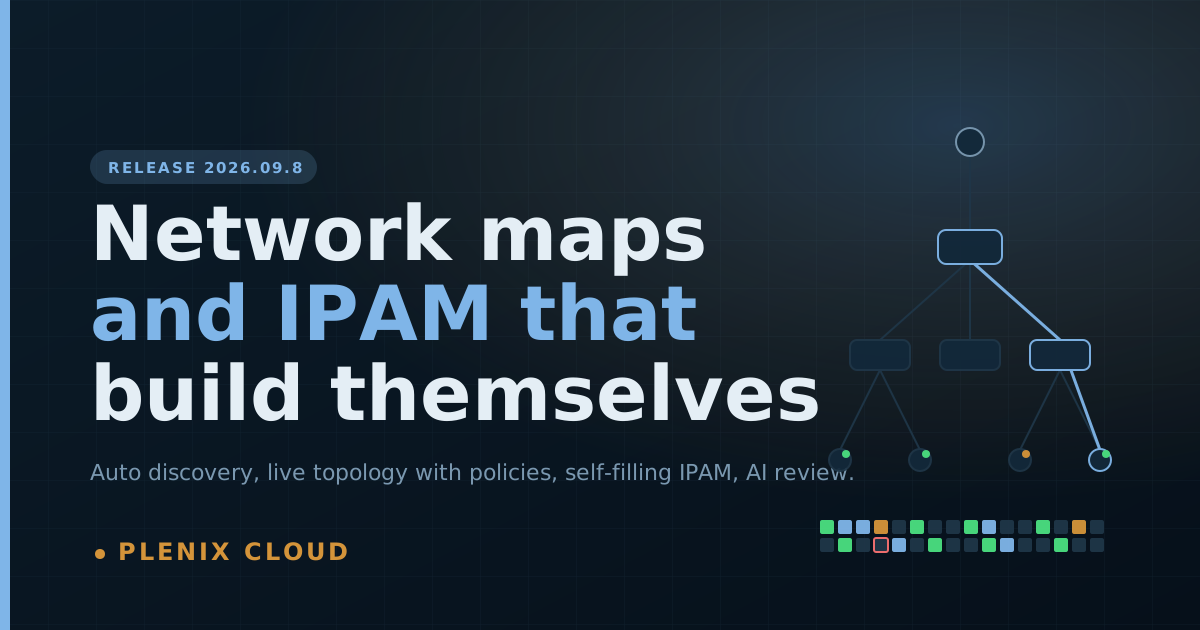
Release 2026.09.8 rebuilds Network Maps and IP Address Management as two connected hubs. Plenix now discovers each customer's network, draws it, keeps IPAM up to date and tells you what needs fixing, with no drawing or data entry.
New features
Network maps drawn for you
- Each customer site gets a live map built from your Plenix agents, scanner agents, managed printers, IPAM, and switches and routers that answer SNMP.
- Devices sit inside their subnets. Subnets connect to the gateway, and the gateway connects to the internet. Switches and routers that report their neighbours are joined by the actual cabled links, and you can see which device is plugged into which switch port.
- Each device shows its role (router, switch, access point, firewall, server, printer, camera, phone, IoT and more), its IP address, and a status dot for online, warning, critical or offline.
- Turn layers on and off: WAN, uplinks, subnets, LLDP links, switch ports and which scanner found each device.
- Search by name, IP, MAC or vendor, and filter by role, status, health or open port. Everything else fades so the matches stand out.
- Drag devices into place and Save view to keep the layout and layers. Saved views are listed on the hub.
Every device's Plenix policies on the map
- Click any device to see its details and what Plenix is doing for it:
- automation and RMM policies;
- patch policy and missing updates;
- installed software and vulnerable software;
- Plenix Security protection and threats;
- toner levels, for printers;
- its IPAM record, open tickets and device groups.
- Every section links straight to where you manage it.
- If Plenix gets a device's role wrong, set it yourself. Your choice is always kept.
A Network Maps hub
- A grid of every customer site, with devices, subnets, scanners, online counts and findings for each.
- An Insights tab that checks every network. It flags:
- full subnets and IP conflicts;
- unidentified devices and computers without the agent;
- devices outside patch policies or missing critical updates;
- unprotected devices, active threats and vulnerable software;
- risky services such as Telnet, FTP and VNC;
- switches that stopped responding, agents offline for weeks, and networks missing from IPAM.
- Each finding lists the devices affected and links to the fix.
- A Discovery tab with every scanner agent, Scan now for each, Scan all networks, and the discovery schedule and settings.
Smarter network discovery
- Scanner agents now find every device on their network using ARP, including firewalled machines that ignore ping and have no open ports.
- Scanner agents sweep the network's real size (up to 1,024 addresses) instead of a fixed 256.
- They probe the ports that identify printers, cameras, phones, hypervisors, databases and remote-access tools.
- They collect names from DNS and NetBIOS.
- They ask switches and routers for their neighbours and port tables over SNMP.
- They also sweep other subnets you've documented in IPAM for the same customer.
- Every agent reports its network adapters, gateway and DNS servers, so each device lands on the right subnet.
- Discovery runs automatically every 6 hours by default. You can change the interval, or turn it off, under Discovery.
IPAM that fills itself in
- Subnets your agents and scanners find are added to IPAM automatically and marked Discovered.
- Every address seen on the network is recorded with its hostname, MAC address and manufacturer, and linked to its device or printer.
- Two devices using the same address are flagged as a conflict.
- Addresses not seen for a while are marked stale, and discovered ones return to the free pool.
- The IPAM hub shows usage, nearly-full subnets, conflicts, unidentified hosts and stale addresses. Every tile is clickable.
- An Activity log records every change: allocations, releases, conflicts, subnets filling up and addresses going quiet.
A subnet page with an address map
- Open any subnet to see every address as a coloured square: seen on the network, allocated, reserved, DHCP pool or free. Conflicts and the gateway are outlined.
- Click an address to see who uses it, then edit, release, reserve or allocate it, or jump to the device on the network map.
- Allocate picks the next free address for you. Reserve range marks a whole block as reserved or as the DHCP pool in one step.
- Export any subnet to CSV.
Subnet planner and live checks
- Enter an address block, choose a subnet size, and Plenix shows what's in use, the largest free blocks, and every free subnet of that size. Click one to create it.
- When you add a subnet, Plenix shows its usable range and size as you type, corrects a mistyped network address, and warns you about overlaps with the customer's other subnets.
- Subnets can record their purpose, VLAN, gateway, DNS servers, DHCP range and a "nearly full" alert level.
AI network review (Enterprise)
- Get a plain-English review of any network: a score out of 100, the biggest risks, and numbered next steps with how much effort each takes.
- Identify unknown devices asks AI to work out what the devices Plenix couldn't identify are. It can also run after each scheduled scan.
- Only device roles, counts, manufacturers, ports and findings are sent. Credentials and personal data never are.
Improvements
- The Network Devices tab on an RMM device has an Open topology link that opens the device on its network map.
- The two "how to" guides now describe what's actually on screen, and there are new guides on network discovery and the AI network review.
Changes
- The Plenix agent is now version 3.70.0 and updates automatically.
- Network Maps and IP Addresses are part of the Monitoring module (Business and above). The AI network review needs the AI module (Enterprise).
Security
- Scanner agents only ever sweep private network ranges, and never scan the internet.
- Only one scan runs on an agent at a time, and scans are size-limited so they can't flood a network.
- Everyone sees only the networks, subnets and addresses of the customers they have access to. Starting scans, changing roles and editing IPAM need technician or administrator access, and discovery settings are for administrators only.